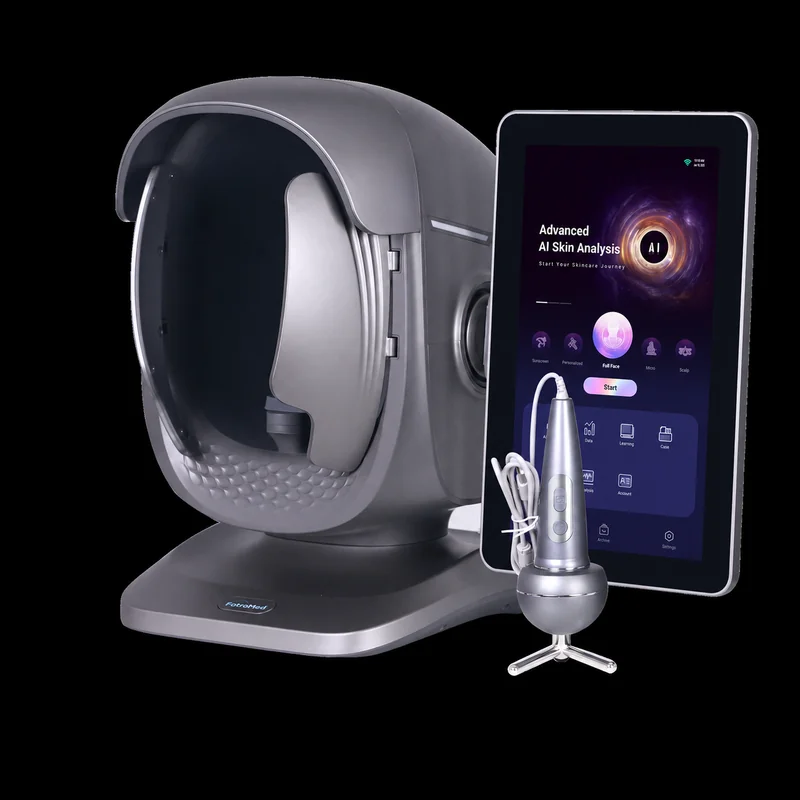

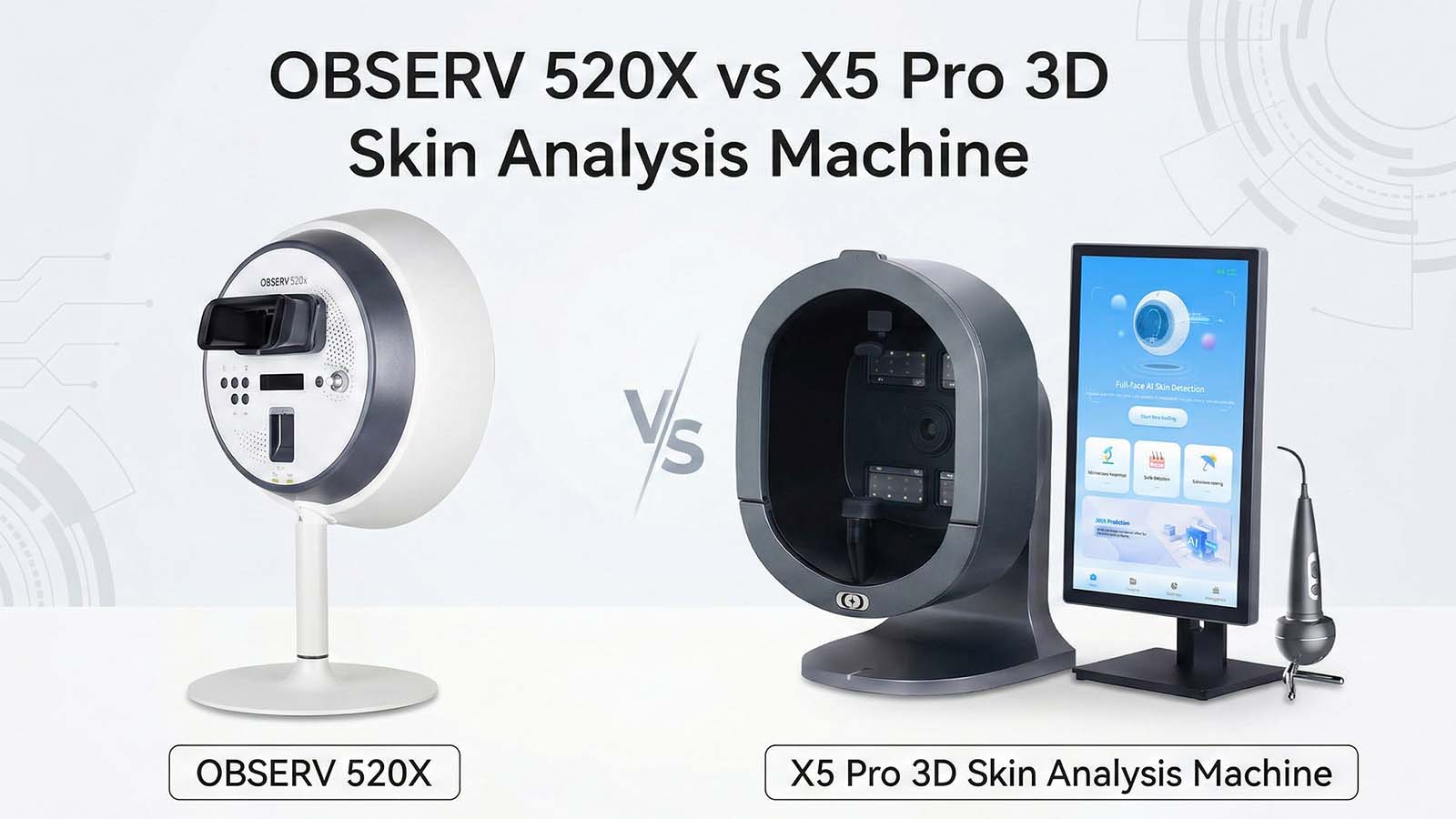
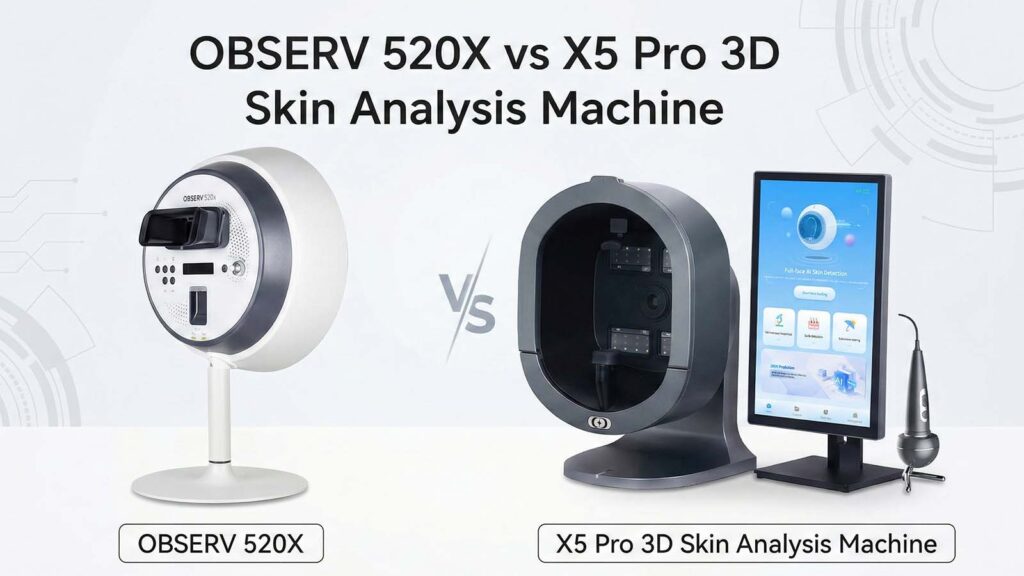
Vergleich fortschrittlicher Hautanalysegeräte
Entdecken Sie die wichtigsten Unterschiede zwischen zwei Top Hautanalysegeräte.
| Merkmale | OBSERV 520X | X5 Pro 3D |
|---|---|---|
| Bildgebende Technologie | 10 spezielle Lichtmodi. | 9-Spektralbildgebung mit 5D-Erkennung. |
| KI und Reporting | Klare Bilder für einfaches Lesen. | KI-gesteuerte 3D-Berichte und Tipps. |
| Workflow und Integration | Nahtlose Integration in die Praxis. | Cloud-Speicher zur Kundenverfolgung. |
| Design und Komfort | Einfache und schnelle Einrichtung. | Verstellbarer Kinnhalter und magnetischer Baldachin. |
| Lifestyle-Tracking | Keine Lifestyle-Tracking-Funktionen. | Verfolgt Lebensstilfaktoren, die sich auf die Haut auswirken. |
| Portabilität | Leicht und tragbar. | Größer mit festen Funktionen. |
| Cloud-Management | Ja, zur sicheren Datenspeicherung. | Ja, unterstützt den Zugriff an mehreren Standorten. |
| Benutzeroberfläche | Einfach und intuitiv. | Touchscreen mit KI-Anleitung. |
| Wartung | Geringer Wartungsaufwand. | Einfache Reinigung, aber Komponenten überprüfen. |
| Preisgestaltung | Höherer Preis für erweiterte Funktionen. | Günstigere Option. |
Sie wollen echte Antworten, nicht nur Zahlen. Wenn Sie klare Hautbilder und eine einfache Anwendung benötigen, Der OBSERV 520X ist am besten. Jedoch, wenn Sie nach einem alternativen Gerät zum OBSERV 520X suchen, Das X5 Pro 3D ist ein starker Konkurrent. Es nutzt fortschrittliche KI, gibt Lifestyle-Tipps, und bietet 3D-Berichte zusammen mit erweiterter Kundenverfolgung. Ihre Wahl hängt davon ab, wie viel Detail und technische Hilfe Sie jeden Tag benötigen.
Key Takeaways
- Wählen Sie den OBSERV 520X, wenn Sie schnelle und klare Hautbilder wünschen. Es ist einfach zu bedienen. Es hat 10 Lichtmodi für einen genauen Blick auf die Haut.
- Wählen Sie das X5 Pro 3D, wenn Sie intelligente KI-Tools und Tracking-Gewohnheiten mögen. Es liefert 3D-Berichte und verknüpft die Hautgesundheit mit Ihrem täglichen Leben.
- Beide Geräte liefern scharfe Bilder und schnelle Ergebnisse. Sie funktionieren gut in Kliniken, Salons, und Spas.
- Denken Sie darüber nach, wie Sie arbeiten: Der OBSERV 520X ist leicht zu transportieren und schnell einzurichten. Das X5 Pro 3D nutzt an vielen Stellen Cloud-Management.
- Kauf einer der beiden Maschinen fördert das Vertrauen der Kunden Du mehr. Damit können Sie anhand realer Fakten spezielle Hautpflegepläne erstellen.
Schneller Vergleich
Hauptunterschiede
Wenn Sie den OBSERV 520X und den X5 Pro 3D vergleichen, Sie werden sofort einige große Veränderungen bemerken. Hier ist, was sie unterscheidet:
- Bildgebende Technologie:
Der OBSERV 520X hat 10 spezielle Lichtmodi. Ein Modus ist die echte UV-Analyse. Dadurch können Sie tief in die Haut blicken. Sie können versteckte Hautprobleme finden. Das X5 Pro 3D verwendet eine 9-Spektrum-Bildgebung. Es verfügt auch über eine 5D-Erkennung. Dabei wird Ihre Haut überprüft, Kopfhaut, und sogar Dinge wie Schlaf und Gewicht. - KI und Reporting:
Der X5 Pro 3D nutzt KI, um Ihre Haut zu untersuchen. Es bietet Ihnen 3D-Berichte und intelligente Tipps. Sie erhalten coole Bilder, die Ihnen helfen, mehr über Ihre Haut zu erfahren. Mit dem OBSERV 520X erhalten Sie sehr klare Bilder. Die Ergebnisse lassen sich leicht ablesen. - Workflow und Integration:
Der OBSERV 520X fügt sich problemlos in Ihre tägliche Arbeit ein. Sie erhalten schnelle Ergebnisse und können diese schnell speichern. Das X5 Pro 3D eignet sich gut, wenn Sie Cloud-Speicher nutzen möchten. Es hilft Ihnen, Kunden an vielen Orten zu verfolgen. - Design und Komfort:
Das X5 Pro 3D verfügt über eine Kinnstütze, die Sie bewegen können. Für mehr Komfort verfügt es außerdem über einen magnetischen Baldachin. Der OBSERV 520X ist einfach und schnell einzurichten. Sie verschwenden keine Zeit mit den Vorbereitungen.
Hauptähnlichkeiten
Beide Geräte helfen Ihnen zu sehen, was mit Ihrer Haut passiert. Hier ist, was beide haben:
| Besonderheit | OBSERV 520X | X5 Pro 3D |
|---|---|---|
| Hochauflösende Bildgebung | ✅ | ✅ |
| Mehrere Lichtmodi | ✅ | ✅ |
| Cloud-Datenspeicher | ✅ | ✅ |
| Schnelle Ergebnisse | ✅ | ✅ |
| Professionelle Berichte | ✅ | ✅ |
Egal für welches Sie sich entscheiden, Sie erhalten ein starkes Werkzeug. Es macht Hautuntersuchungen einfacher und eindrucksvoller.
Bildgebung & Technologie
Visuelle Klarheit
Wenn Sie sich Hautanalysegeräte ansehen, Du willst scharf, klare bilder. Der OBSERV 520X zeichnet sich durch seine aus 10 Lichtmodi. Jeder Modus zeigt eine andere Seite Ihrer Haut. Zum Beispiel, Im Tageslichtmodus können Sie Ihre Haut so sehen, wie sie bei natürlichem Licht aussieht. Der echte UV-Modus geht tiefer. Es findet versteckte Stellen, Sonnenschäden, und Öl, das Sie vielleicht mit Ihren Augen übersehen. Kreuzpolarisiertes Licht hebt Rötungen und Blutgefäße hervor. Parallelpolarisiertes Licht bringt feine Linien und Texturen zum Vorschein.
Hier ist ein kurzer Blick auf einige der Lichtmodi im OBSERV 520X:
| Lichtmodus | Zweck |
|---|---|
| Tageslichtmodus | Beurteilt den sichtbaren Ton, Rötung, und Oberflächenklarheit. |
| Echter UV-Modus | Erkennt tiefe Pigmentierung, Sonnenschäden, Ölansammlung, und zu Akne neigende Zonen. |
| Kreuzpolarisiert | Hebt Gefäßprobleme wie Rosacea und gebrochene Kapillaren hervor. |
| Parallelpolarisiertes Licht | Verbessert die Oberflächenstruktur, Der Schwerpunkt liegt auf feinen Linien und Aknenarben. |
Du wirst knackig, hochauflösende Bilder bei jedem Scan. Dies hilft Ihnen, Probleme frühzeitig zu erkennen und sie Ihren Kunden zu erklären.
Auch das X5 Pro 3D liefert klare Bilder. Es verwendet eine 9-Spektrum-Bildgebung. Das bedeutet, dass es neun verschiedene Arten von Licht auf Ihre Haut wirft. Sie sehen sowohl die Oberfläche als auch das, was sich darunter befindet. Die 3D-Kamera ermöglicht Ihnen eine vollständige Sicht auf das Gesicht. Sie können es drehen und vergrößern, um jedes Detail zu sehen. Mit beiden Geräten können Sie Ihren Kunden ganz einfach zeigen, was wirklich mit ihrer Haut passiert.
Analysetiefe
Sie wollen mehr als nur ein schönes Bild. Sie müssen wissen, was unter der Oberfläche passiert. Der OBSERV 520X nutzt seine 10 Lichtmodi, um tief zu graben. Echter UV-Modus, Zum Beispiel, findet frühe Alterserscheinungen und versteckte Pigmentierung. Kreuzpolarisiertes Licht zeigt Probleme bei empfindlicher Haut, wie Rötungen oder geplatzte Kapillargefäße. Parallelpolarisiertes Licht konzentriert sich auf die Textur, So können Sie Behandlungen für feine Linien oder Aknenarben planen.
Eine Studie zeigt, dass fortschrittliche Hautbildgebungssysteme wie das OBSERV 520X diese Lichtmodi verwenden, um Pigmentierung und Blutgefäßprobleme zu überprüfen. Dies hilft Ihnen, bessere Entscheidungen für Ihre Kunden zu treffen.
Das X5 Pro 3D verfolgt einen anderen Ansatz. Es nutzt die 5D-Erkennung. Das heißt, es schaut auf Ihre Haut, Kopfhaut, und bringt sogar Ihre Lebensgewohnheiten – wie Schlaf und Gewicht – mit Ihrer Hautgesundheit in Verbindung. Die 9-Spektrum-Technologie ermöglicht Ihnen einen detaillierten Blick auf die Dermisschicht. Sie können UV-Schäden erkennen, tiefe Pigmentierung, und andere versteckte Probleme. Die KI der Maschine überprüft alle diese Daten und erstellt Ihnen einen vollständigen Bericht. Sie erhalten ein vollständiges Bild, nicht nur der Haut, sondern des allgemeinen Wohlbefindens der Person.
Diagnosetools
Mit beiden Maschinen verfügen Sie über leistungsstarke Werkzeuge, mit denen Sie Ihren Kunden helfen können. Mit dem OBSERV 520X können Sie mit einem Tastendruck zwischen den Lichtmodi wechseln. Sie können Vorher-Nachher-Bilder in Sekundenschnelle vergleichen. Das intelligente Katalogisierungssystem sorgt dafür, dass alle Ihre Scans organisiert bleiben. Sie erhalten sofortige Ergebnisse, So können Sie sofort mit Ihrem Kunden sprechen.
Der X5 Pro 3D bringt KI in den Mix. Es erstellt 3D-Berichte, die Problembereiche hervorheben. Sie können Kunden eine Simulation ihrer Haut zeigen und erklären, was Aufmerksamkeit erfordert. Die Maschine verfolgt auch Kundendaten im Laufe der Zeit. Wenn Sie mehr als einen Standort haben, Sie können alles aus der Cloud verwalten.
Beide Geräte helfen Ihnen, versteckte Hauterkrankungen aufzudecken und unterstützen Ihr Fachwissen. Sie können Vertrauen zu Ihren Kunden aufbauen und ihnen die bestmögliche Betreuung bieten.
Merkmale & Modi

Einzigartige Funktionen
Sie möchten ein Hautanalysegerät, das mehr kann als nur Bilder zu machen. Der OBSERV 520X verfügt über zehn Lichtmodi. In jedem Modus können Sie eine neue Hautschicht sehen. Sie können versteckte Orte finden, Rötung, und Texturprobleme. Sie können den Modus mit einer Berührung ändern. Das macht Ihre Arbeit schnell und einfach.
Das X5 Pro 3D ist anders. Es nutzt die 5D-Erkennung. Sie können Haut und Kopfhaut überprüfen. Es hängt auch mit Dingen wie Schlaf und Gewicht zusammen Hautgesundheit. Die Maschine macht 3D-Bilder. Sie können Ihre Haut von allen Seiten sehen. Die Kinnstütze bewegt sich, und der magnetische Baldachin sorgt für zusätzlichen Komfort für die Kunden.
Hier finden Sie eine Tabelle, die Ihnen den Vergleich erleichtert:
| Einzigartige Funktion | OBSERV 520X | X5 Pro 3D |
|---|---|---|
| Lichtmodi | 10 | 9-Spektrum |
| UV-Analyse | ✅ | ✅ |
| 3D Simulation | ❌ | ✅ |
| Lifestyle-Tracking | ❌ | ✅ |
| Einstellbarer Komfort | ❌ | ✅ |
Tipp: Wenn Sie schnell wollen, klare Hautbilder, Die OBSERV 520X ist großartig. Wenn Sie Lifestyle-Tracking wünschen, das X5 Pro 3D ist besser.
Benutzerfreundlichkeit & Arbeitsablauf
Benutzeroberfläche
Sie wollen eine Maschine, die sich anfühlt einfach von der ersten Berührung an. Der OBSERV 520X sorgt für Sauberkeit, einfacher Bildschirm. Sie können mit nur einem Fingertipp zwischen den Lichtmodi wechseln. Das Menü verwendet große Symbole und klare Beschriftungen. Sie fühlen sich nie verloren oder verwirrt. Wenn Sie einem Kunden seine Ergebnisse zeigen müssen, Sie können Bilder in Sekundenschnelle abrufen.
Der X5 Pro 3D sorgt auch dafür, dass alles benutzerfreundlich ist. Es verwendet einen Touchscreen mit leuchtenden Farben und Schritt-für-Schritt-Anleitungen. Sie erhalten unterwegs KI-gestützte Tipps. Die Software führt Sie durch jeden Scan. Wenn Sie zusätzliche Hilfe benötigen, Dieses Gerät bietet Ihnen mehr Unterstützung auf dem Bildschirm.
Portabilität & Aufstellen
Das Einrichten Ihres Geräts sollte Sie nicht ausbremsen. Der OBSERV 520X ist leicht und kompakt. Sie können es problemlos von Raum zu Raum transportieren. Stecken Sie es ein, und schon können Sie scannen. Kein langer Aufbau oder zusätzliche Teile.
Der X5 Pro 3D ist etwas größer. Es wird mit einer verstellbaren Kinnstütze und einem magnetischen Baldachin geliefert. Diese Funktionen erhöhen den Komfort, nehmen jedoch möglicherweise mehr Platz ein. Wenn Sie einen festen Platz in Ihrer Klinik haben, das funktioniert gut. Wenn Sie das Gerät häufig bewegen müssen, Der OBSERV 520X macht das Leben einfacher.
| Besonderheit | OBSERV 520X | X5 Pro 3D |
|---|---|---|
| Leicht | ✅ | ❌ |
| Schnelle Einrichtung | ✅ | ✅ |
| Tragbar | ✅ | ❌ |
| Einstellbarer Komfort | ❌ | ✅ |
Wartung
Sie möchten ein Gerät, das zuverlässig bleibt. Der OBSERV 520X benötigt wenig Pflege. Sie wischen die Oberfläche ab und aktualisieren die Software bei Bedarf. Das Cloud-System schützt Ihre Daten.
Das X5 Pro 3D bietet außerdem eine einfache Reinigung. Möglicherweise müssen Sie die Kinnstütze und den Baldachin auf Staub überprüfen. Software-Updates erfolgen über die Cloud. Beide Maschinen halten die Dinge einfach, So verbringen Sie weniger Zeit mit der Wartung und haben mehr Zeit für die Kunden.
Notiz: Beide Geräte erleichtern die Wartung, Aber der OBSERV 520X ist am besten, wenn Sie den geringsten Aufwand wünschen.
Wert & Alternativen
Preisgestaltung & Unterstützung
Wenn Sie über den Wert nachdenken, Sie möchten wissen, was Sie bekommen. Der OBSERV 520X kostet mehr als die meisten anderen Maschinen. Sie zahlen extra, Sie erhalten jedoch erweiterte Bildgebung und zehn Lichtmodi. Es fügt sich problemlos in Ihre tägliche Arbeit ein. Viele Kliniken halten es für eine kluge Anschaffung. Sie bekommen bessere Kundengespräche und mehr Vertrauen.
Der X5 Pro 3D ist in der Regel günstiger als der OBSERV 520X. Das macht es zu einem gute Wahl wenn Sie Geld sparen möchten oder gerade erst anfangen. Der X5 Pro 3D gibt Ihnen starken Halt. Sie erhalten Hilfe bei der Einrichtung, Ausbildung, und alle Fragen, die Sie haben. Mit beiden Geräten können Sie Cloud-Speicher nutzen. Dadurch bleiben die Kundendaten sicher und Sie können sie überall abrufen. Die Cloud des X5 Pro 3D eignet sich gut für viele Standorte oder wenn Sie Kunden an verschiedenen Orten verfolgen.
Hier ist eine kurze Tabelle, die Ihnen den Vergleich erleichtert:
| Besonderheit | OBSERV 520X | X5 Pro 3D |
|---|---|---|
| Preisklasse | $$$$$ | $$ |
| Unterstützung | Professional, fortlaufend | Aufstellen, Ausbildung, fortlaufend, OEM/ODM |
| Wolkenspeicher | Ja | Ja |
| Zugriff an mehreren Standorten | Ja | Ja |
Wenn Sie die besten Funktionen wünschen und mehr ausgeben können, Der OBSERV 520X ist eine gute Wahl. Wenn Sie Geld sparen möchten oder ein alternatives 520x-Gerät suchen, Das X5 Pro 3D bietet Ihnen ein gutes Preis-Leistungs-Verhältnis.
Vorteile in der Praxis
Sie möchten Ergebnisse, die im wirklichen Leben helfen. Beide Maschinen helfen Ihnen, Ihre Pflege zu verbessern und Ihr Geschäft auszubauen. Folgendes bemerken die Leute, nachdem sie diese Geräte verwendet haben:
- Sie erstellen individuelle Hautpflegepläne anhand echter Hautdaten.
- Hautprobleme erkennt man frühzeitig, wie UV-Schäden oder versteckte Stellen.
- Hautveränderungen verfolgen Sie mit klaren Vorher-Nachher-Fotos.
- Sie leisten besondere Hilfe bei der Hautpflege, So sehen Kunden schnell Ergebnisse.
- Sie müssen bei der Auswahl von Produkten oder Behandlungen nicht raten.
- Sie können für jeden Kunden individuelle Behandlungspläne erstellen.
- Sie machen hochwertige Bilder, die Veränderungen sofort erkennen lassen.
- Sie ermöglichen Ihren Kunden einen schnellen und einfachen Hautcheck.
Diese Dinge helfen Ihnen, sich abzuheben. Kunden vertrauen Ihnen mehr, wenn sie sehen, dass sich ihre Haut verbessert. Außerdem sparen Sie Zeit und müssen bei Behandlungen nicht raten.
Profis & Nachteile
OBSERV 520X
Der OBSERV 520X erleichtert Ihnen die Arbeit. Außerdem erhalten Sie dadurch klarere Ergebnisse. Hier sind einige gute Dinge, die Ihnen auffallen werden:
- Hervorragende visuelle Klarheit: Mit zehn Lichtmodi können Sie viele Details erkennen. In jedem Modus können Sie einen anderen Teil der Haut betrachten.
- Schneller Workflow: Sie können den Modus mit nur einer Berührung ändern. Dadurch sparen Sie Zeit bei jedem Kundenbesuch.
- Einfache Integration: Das Gerät passt in Ihren Arbeitsalltag. Sie können Client-Scans schnell speichern und finden.
- Sicherer Cloud-Speicher: Ihre Kundendaten sind sicher und leicht verfügbar, wenn Sie sie benötigen.
- Tragbares Design: Sie können das Gerät problemlos von einem Raum in einen anderen transportieren.
Tipp: Wenn Sie klare Bilder und eine einfache Verwendung wünschen, Der OBSERV 520X ist eine gute Wahl.
X5 Pro 3D
Der X5 Pro 3D verfügt über spezielle Funktionen für Ihre Klinik oder Ihren Salon. Sie erhalten KI-gestützte Analysen und 3D-Berichte. Es verfolgt auch Lebensgewohnheiten, So können Sie Kunden besser beraten. Hier ist, was einige Bewertungen sagen:
| Vorteile | Nachteile |
|---|---|
| Hervorragende Nähqualität | Niedrigere Auflösung für Standbilder als andere |
| Starke Leistung bei schlechten Lichtverhältnissen | Probleme bei hektischen Lichtverhältnissen |
| Gute Stabilisierung für Luftaufnahmen | Die Bildqualität ist nicht so gut wie bei Top-Smartphones oder Action-Kameras |
Wenn Sie diese Dinge möchten, könnte Ihnen das X5 Pro 3D gefallen:
- KI- und 3D-Berichte: Das Gerät gibt Ihnen clevere Tipps und coole 3D-Bilder.
- Lifestyle-Tracking: Sie können Schlaf und Gewicht mit der Gesundheit Ihrer Haut verknüpfen.
- Cloud-Management: Sie können an vielen Orten den Überblick über Kunden behalten.
Notiz: Der X5 Pro 3D ist am besten geeignet, wenn Sie mehr technische Funktionen und einen niedrigeren Preis wünschen. Beachten Sie jedoch, dass die Bildqualität möglicherweise nicht so gut ist wie bei den besten Geräten.
Sie möchten ein Gerät, das für Sie gut funktioniert. Wenn Sie eine Klinik haben oder schnell brauchen, klare Hautbilder, Die OBSERV 520X ist eine gute Wahl. Es liefert starke Ergebnisse und ist einfach zu verwenden. In Salons oder an stark frequentierten Orten dürfte das X5 Pro 3D besser geeignet sein. Es hat KI, erstellt 3D-Berichte, und kostet weniger. Menschen, die Ratschläge nur für sich selbst wünschen und ihre Gewohnheiten verfolgen möchten, werden das X5 Pro 3D mögen.
| Nutzen | Beschreibung |
|---|---|
| Erweiterte Diagnose | Zur besonderen Pflege erhalten Sie einen tiefen Einblick in Ihre Haut. |
| Maßgeschneiderte Behandlungspläne | Sie erhalten Routinen, die speziell auf Ihre Haut zugeschnitten sind. |
| Fortschrittsverfolgung | Mit neuen Scans können Sie sehen, wie sich Ihre Haut verbessert. |
| Vertrauen in Entscheidungen | Mit weiteren Fakten können Sie die richtige Hautpflege auswählen. |
| Verbesserte Behandlungsergebnisse | Sie können Behandlungen wie Gesichtsbehandlungen noch besser wirken lassen. |
| Schneller und komfortabler Prozess | Sie erhalten schnelle Kontrollen, die weder weh tun noch lange dauern. |
Mit beiden Automaten erhalten Sie intelligente Schecks, Pläne nur für Sie, und lassen Sie sehen, wie sich Ihre Haut verändert. Wählen Sie diejenige aus, die Ihren Bedürfnissen und dem, was Sie ausgeben können, entspricht. Die Verwendung dieser Tools hilft Ihnen, eine bessere Pflege zu leisten und sorgt dafür, dass Ihre Kunden Ihnen mehr vertrauen.
FAQ
Wie vergleichen sich der OBSERV 520X und der X5 Pro 3D in der Bildqualität??
Du wirst schärfer, Klarere Bilder mit dem OBSERV 520X. Das X5 Pro 3D liefert gute Bilder, Aber der 520X zeichnet sich durch Detailgenauigkeit und Farbgenauigkeit aus.
Welches Gerät ist für Anfänger einfacher zu bedienen??
Das OBSERV 520X wird Ihnen leichter fallen. Die einfache Benutzeroberfläche und die schnelle Einrichtung erleichtern Ihnen den schnellen Einstieg. Das X5 Pro 3D bietet mehr Funktionen, aber möglicherweise benötigen Sie zusätzliches Training.
Können beide Maschinen Kundendaten sicher speichern??
Ja, Beide Geräte nutzen Cloud-Speicher. Sie können Kundendaten sicher aufbewahren und jederzeit darauf zugreifen. Der X5 Pro 3D eignet sich gut für Kliniken mit mehreren Standorten.
Was das X5 Pro 3D zu einer guten Alternative zum OBSERV 520X macht?
Sie erhalten KI-gestützte Berichte, 3D Simulation, und Lifestyle-Tracking mit dem X5 Pro 3D. Es kostet weniger und eignet sich für Kliniken oder Salons, die fortschrittliche Technologie ohne hohe Kosten wünschen.
Funktionieren beide Maschinen für Kliniken und Salons??
Sie können beide Geräte in Kliniken verwenden, Salons, oder Spas. Beide helfen Ihnen, Ihren Kunden ihre Hautprobleme aufzuzeigen und den Fortschritt zu verfolgen. Wählen Sie basierend auf Ihrem Workflow und Budget.